 Home Assistant Isn't Responding
If you're unsure about any step, it's always fine to contact Daniel first.
Home Assistant controls the smart home — lights, heating, automations.
📱 Step 1 — Try connecting to Home Assistant another way
Sometimes the app loses its connection but Home Assistant itself is fine. Try reaching it via a different method:
- Phone app — open the Home Assistant app
- Browser at home (on home Wi-Fi): http://192.168.1.12:8123 or http://homeassistant.local:8123
- Browser when not connected to the home network (e.g. you are using 4G cellular on your phone instead of Wi-Fi): https://ha.djchome.uk
Wait 2 minutes — it may still be starting after a power cut.
How you know it's working: The app connects and shows your devices. Seeing a login screen is also a good sign — it means the core programme is up and running, it just needs you to sign in.
🖥️ Step 2 — Go and look at Pacific
Home Assistant runs on a small mini PC called Pacific, in the bedroom wardrobe next to the router. If something has gone wrong, the power button on the front will tell you what's happening — it has a small status light built into it.
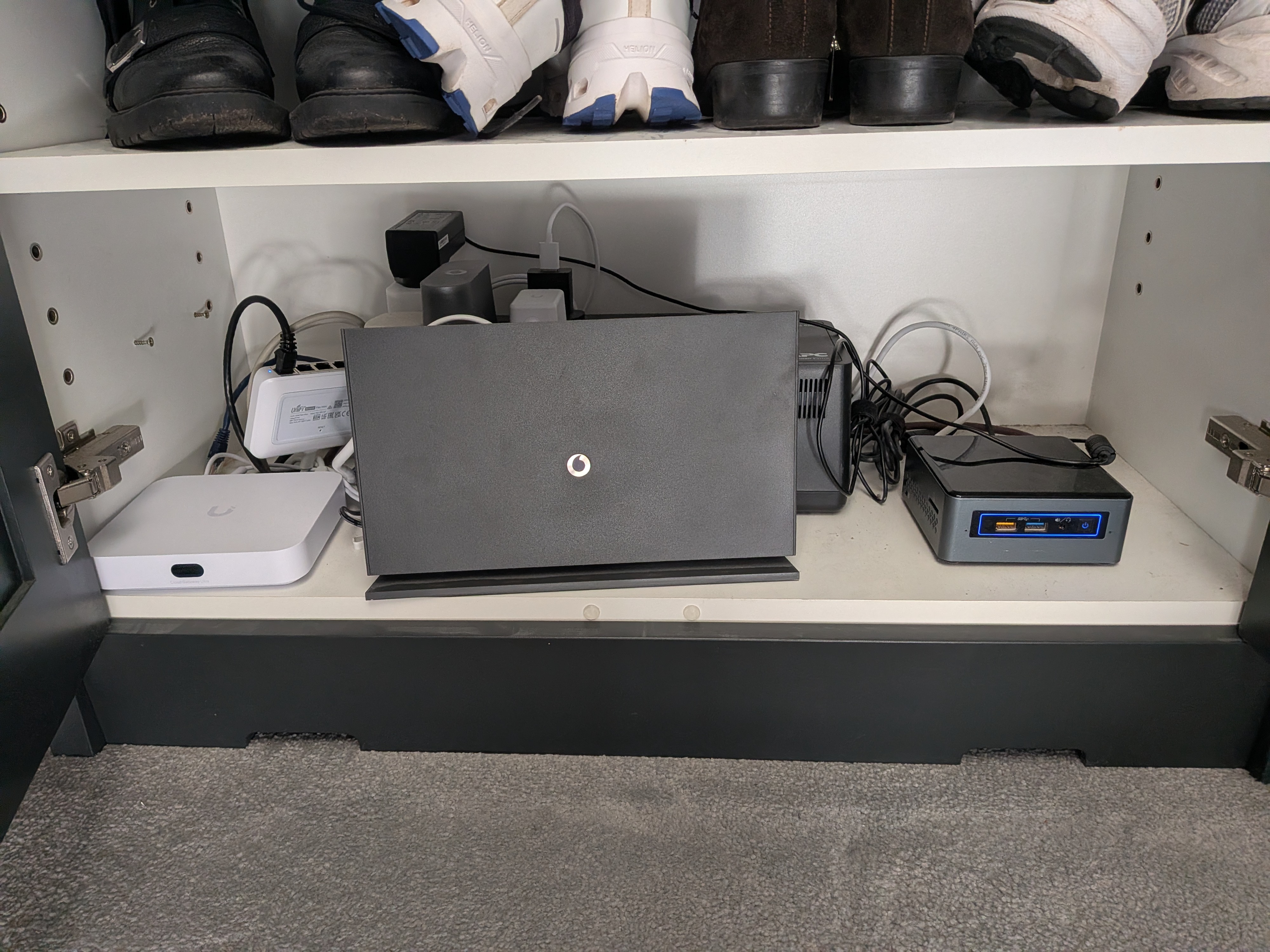
| Power button light | What it means | What to do |
|---|---|---|
| Off | No power, or the NUC needs switching on | Press the power button once and wait 5 minutes |
| Flashing orange | A problem — Pacific can't start up properly | Contact Daniel — this is not a straightforward fix |
| Solid blue | Pacific is on and healthy | See below |
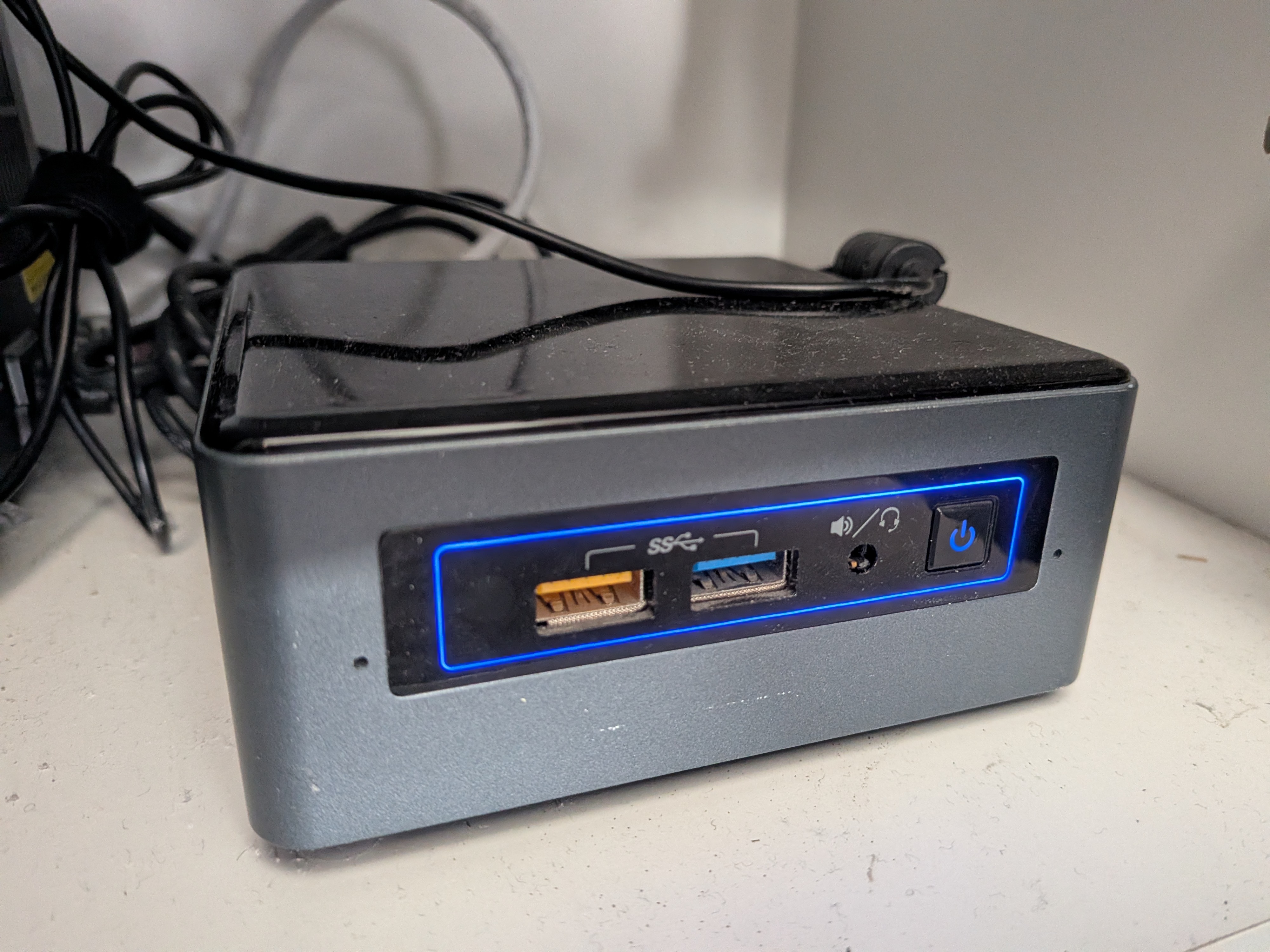
If the light is solid blue
Pacific is running normally — the issue is likely that Home Assistant is still starting up. It can take 10–15 minutes after Pacific boots before Home Assistant is fully ready.
You can check its progress by opening the Proxmox page:
→ https://192.168.1.10:8006 (your browser may warn about the security certificate — tap Advanced then Proceed)
If the login page loads, Home Assistant is probably still starting — give it the full 15 minutes and try again.
If you want to check the status more closely, you can log in using the password saved in Bitwarden under Proxmox local. Once in, find HomeAssistant in the left panel — it will show whether the VM is running or stopped. If it's stopped, you can press Start. (See also the video in Step 3, which shows this check.)
⚠️ Step 3 — If Home Assistant still won't start
If it's been more than 15 minutes and you still can't reach Home Assistant — or if Pacific has no light or a flashing orange light — there is a backup Home Assistant set up on the main storage box (Lotus).
Note: Daniel can do this switchover remotely if the internet is working. If you're not comfortable with the steps below, just let him know and he can handle it.
⚠️ Important: Only one version of Home Assistant should run at a time. Do not start the backup unless the main one (on Pacific) is definitely not running.
The video below shows how to confirm Pacific's Home Assistant is stopped, then how to start the backup on Lotus:
- Open a browser and go to: http://192.168.1.80 (this is Lotus, the main storage box)
- Log in using the password saved in Bitwarden under Unraid Lotus
- Click the VMs tab at the top
- Find the Home Assistant VM and click Start
- Wait 10–15 minutes, then try connecting to Home Assistant as normal
The backup is set up to use the same address as the main version, so everything should connect automatically once it's running.
❓ If Home Assistant is working but something specific isn't
- Heating not responding → see The Central Heating
- A light or radiator valve not responding → see Lights & Smart Devices
- Living room wall panel not loading → see Living Room Wall Panel