The Central Heating Isn't Working
If you're unsure about any step, it's always fine to contact Daniel first.
The boiler is controlled by a small device called a Shelly Plus2PM, which is wired directly into the boiler. Home Assistant monitors the temperature in each room via the TRV radiator valves, and if a room is colder than the set temperature it tells the Shelly to turn the boiler on. When the rooms are warm enough it turns it off again.
Need to turn the heating on or off urgently and Home Assistant isn't working? Skip straight to Connect directly to the Shelly below — you don't need the home Wi-Fi or Home Assistant for this.
🔌 Step 1 — Check the boiler has power
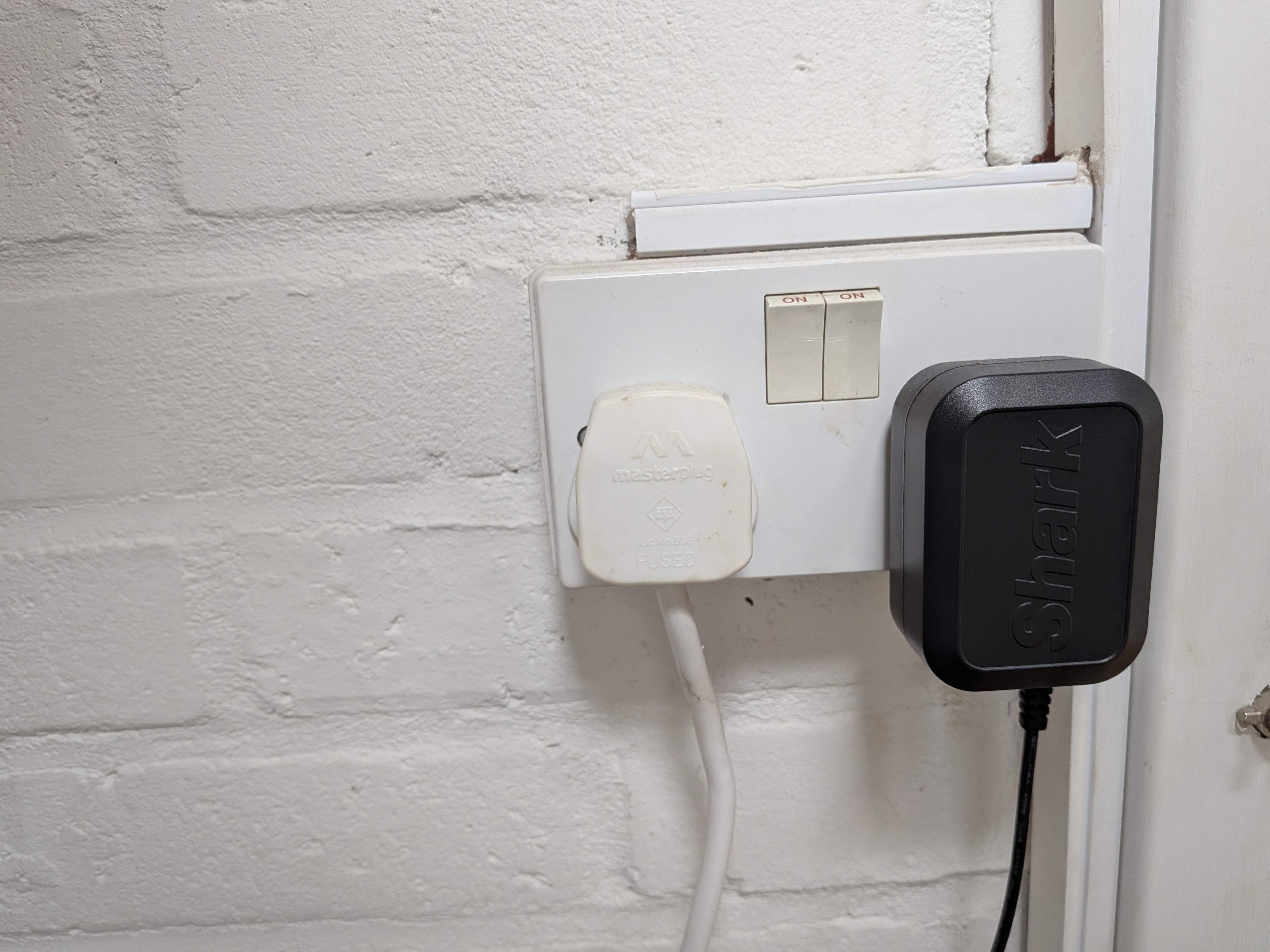
The boiler is plugged into a socket in the utility room. Check it hasn't been switched off at the socket. The Shelly device takes its power directly from the boiler, so if the boiler has no power, the Shelly won't work either.
 Step 2 — Check Home Assistant is working
Home Assistant controls the heating, so if it's down the heating won't respond. See Home Assistant Isn't Responding and make sure the app is working first.
 Step 3 — Check the Shelly directly
If Home Assistant is running but the heating still isn't coming on, you can check and control the Shelly directly from a browser.
On home Wi-Fi, go to: http://192.168.30.242/
You'll see the Shelly control page — it looks like this:
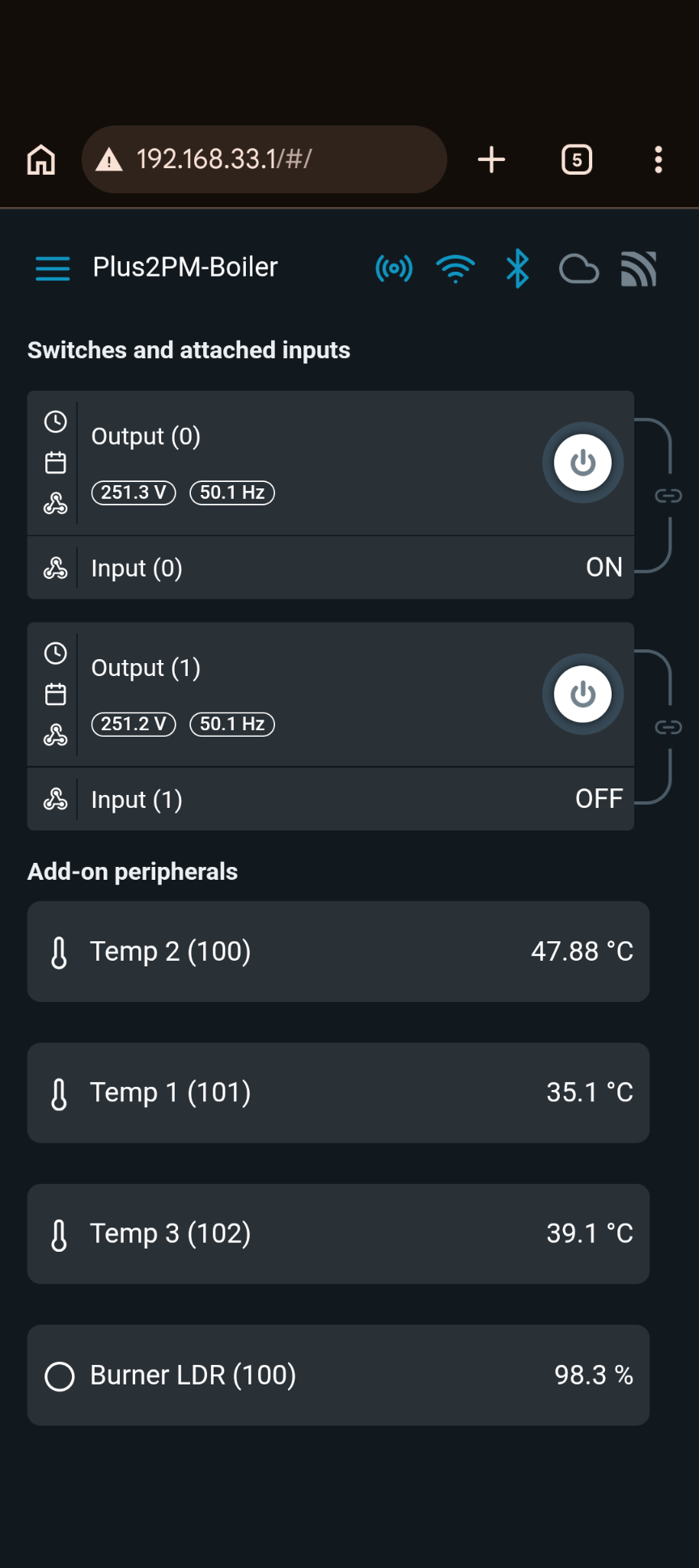
Output 0 is the central heating toggle:
| Output 0 | What it means |
|---|---|
| ON | Boiler is being told to run |
| OFF | Boiler is off |
Press the power button icon to the right of Output 0 to toggle it. If you turn it on manually, remember that Home Assistant won't be controlling it any more — contact Daniel to restore normal operation.
📶 If the home Wi-Fi is down — connect directly to the Shelly
If the Wi-Fi network isn't working, or Home Assistant is down, you can connect your phone or laptop directly to the Shelly. Get close to the boiler, then:
- Open Wi-Fi settings on your phone
- Look for a network called ShellyPlus2PM-E465B85FD8C8 and tap it — your phone will warn that this network has no internet access:
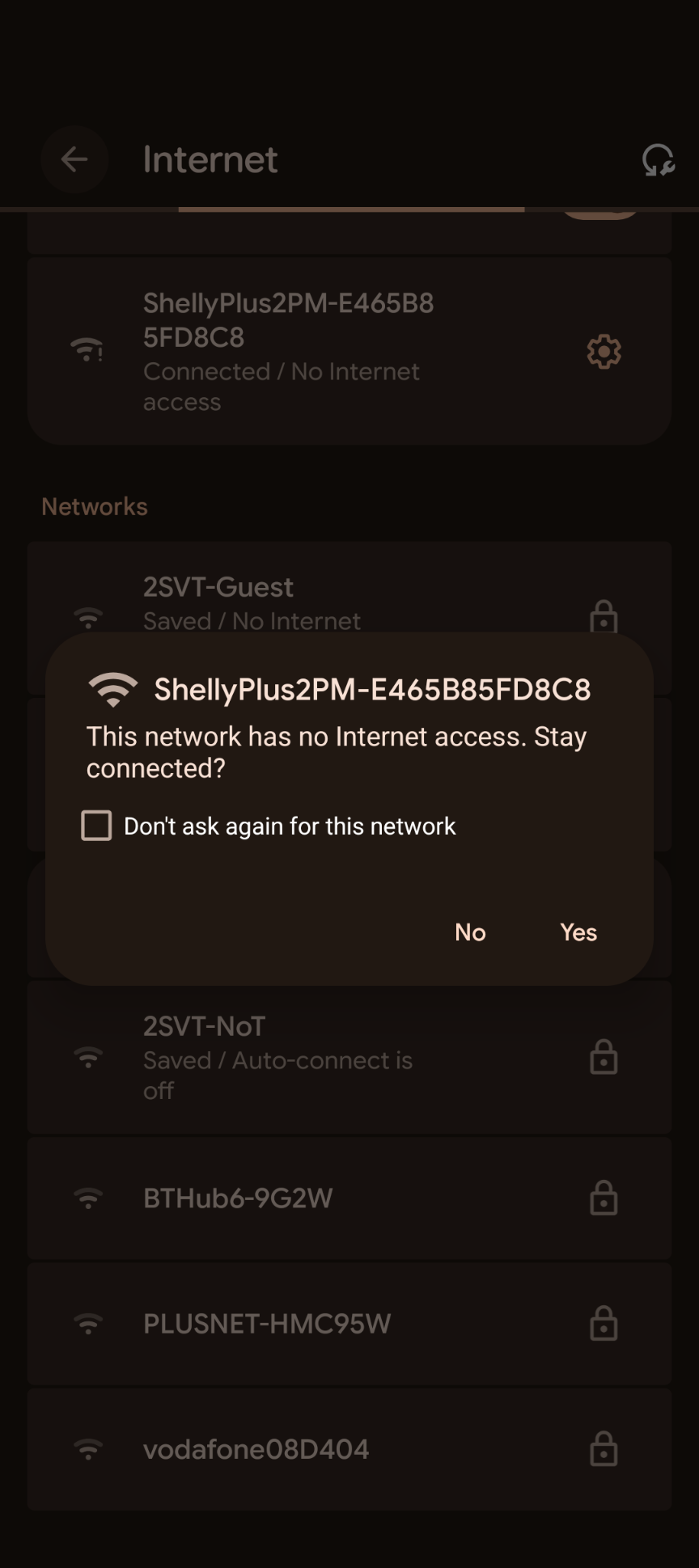
- Tap Yes. Your Wi-Fi settings should now show the Shelly at the top as connected:
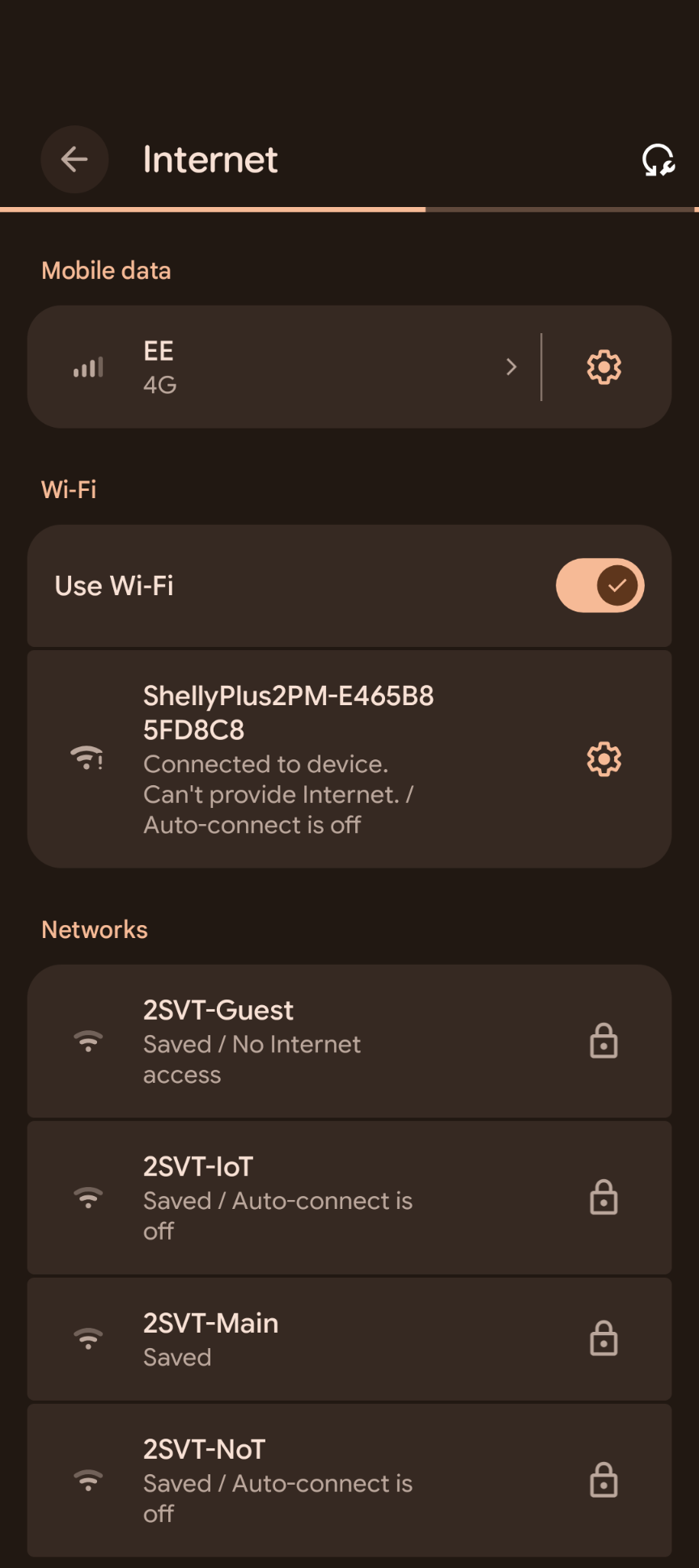
- Open a browser and go to: http://192.168.33.1/
- You'll see the same Shelly control page as above — use the Output 0 power button to turn heating on or off
 A Radiator Valve (TRV) Isn't Working
The TRVs (Thermostatic Radiator Valves) are the white devices fitted to the radiators. Normally Home Assistant controls them automatically — you don't need to touch them.
Living room: The living room has two radiators linked as a single control. If the living room temperature isn't responding correctly, check both TRVs — if either has a flat battery or error, the whole room control may stop working.
Bathroom: The bathroom radiator has no valve and is always on whenever the boiler is running. This is normal.
🔋 The Screen Shows F4 — Battery Flat
Replace the batteries:
- Unscrew or unclip the TRV from the radiator valve
- Open the battery compartment (press the latch on the back and slide off the shell)
- Replace all 3 × AA batteries (standard alkaline AA — not rechargeable)
- Slide the shell back on and refit the TRV
The TRV will go through a short calibration when it powers back on — the motor will move and the screen will show a number. This is normal. Wait about 30 seconds.
🔧 The TRV Isn't Opening or Closing — Recalibrate It
If the radiator doesn't seem to be heating or the TRV appears stuck:
- Short press the middle button once
- The screen will show Ad flashing
- Wait about 5 seconds — the motor will move as it calibrates
- The screen returns to showing the room temperature
🔒 The Screen Is Locked — LC Shown
If LC appears, the child lock is on:
- Press and hold the middle button for 3 seconds
- The LC indicator will disappear
⚠️ Other Error Codes
| Code | What it means | What to do |
|---|---|---|
| F4 | Battery flat | Replace batteries (see above) |
| F1 | Valve moving slowly | Check the TRV is properly fitted to the radiator |
| F5 | Can't detect the valve | Remove and refit the TRV, then recalibrate |
| F0 | Temperature sensor fault | Contact Daniel |
🚨 Emergency — Need Heat Right Now
If Home Assistant is down and you can't wait, you can bypass the TRV entirely:
Unscrew the TRV from the radiator valve. Once removed, the valve is left open and the radiator will run at full heat for as long as the boiler is on. To restore normal operation, screw the TRV back on.
Full manual fallback: The old manual radiator valves are stored in the loft. In an emergency these can be fitted in place of the TRVs. Contact Daniel before doing this so he knows what's been changed.